Remote access
How to reach an enrolled gateway: install WireGuard, import your operator config, then connect over SSH or, for gateways that have one, the LuCI web UI.
OpenVPN is still around, for now
WireGuard is replacing OpenVPN fleet-wide, but OpenVPN access is still active in parallel during the rollout. Existing OpenVPN operator configs keep working until it's fully retired; new setups should use WireGuard.
Installing WireGuard and importing your config
- Install the WireGuard client for your OS: https://www.wireguard.com/install/.
- Ask a fleet admin for your operator peer config or add yourself via the WireGuard configuration secret for the deployment (see Repositories & deployments).
- Import it and bring the tunnel up.
This gives you an address on the same VPN as the fleet gateways, so once the
tunnel is up you can reach any registered gateway directly at its vpn_ip.
Installing WireGuard
- Install the WireGuard app from the Mac App Store.
-
Open it and click Import tunnel(s) from file, then select your
.conf.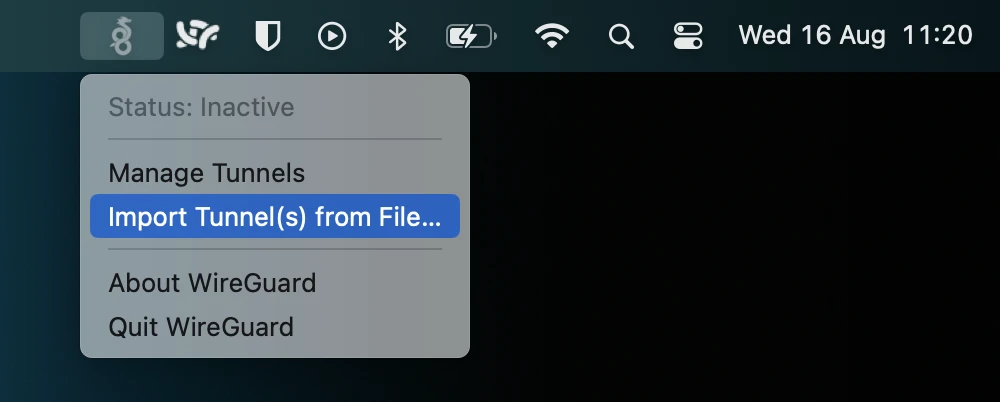
-
If macOS asks to add a VPN configuration, click Allow.
- Select the imported tunnel and click Activate.
Refer to the WireGuard documentation for your OS: https://www.wireguard.com/install/ and quickstart guide: https://www.wireguard.com/quickstart/.
Connecting to a gateway
In the management dashboard you can find the VPN IP address of each gateway. Because gateways are currently connected to both OpenVPN and WireGuard the management dashboard will indicate which VPN should be used with an icon:
WireGuard:
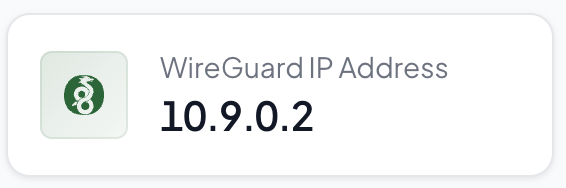
OpenVPN:
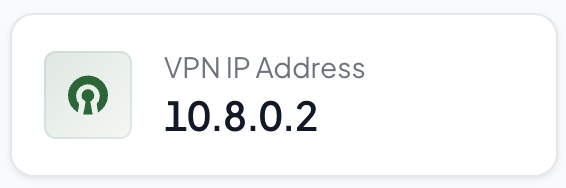
Over the tunnel, a gateway's LuCI UI and SSH are both reachable at its
vpn_ip:
- Web UI: browse to the gateway's
vpn_ip(LuCI listens the same as it did over LAN). Log in asroot, with the gateway password that can be found in the management dashboard. - SSH:
ssh root@<vpn_ip>
No web UI yet, SSH only: ssh root@<vpn_ip>
Reference
| VPN subnet | 10.9.0.0/16 |
| Server endpoint | wg.gateways.edgepilot.io |
| Ports | UDP 31820 |